














-
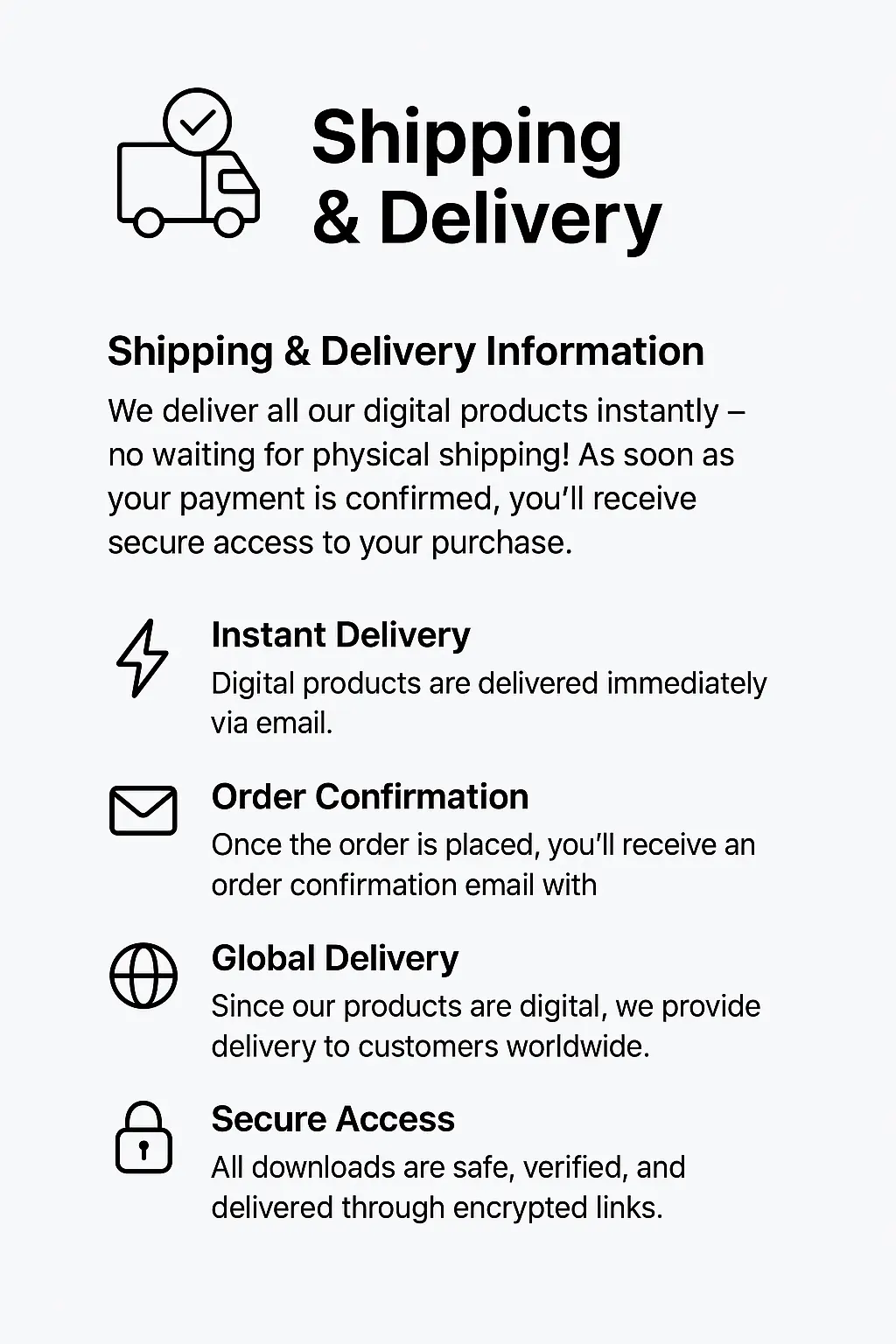
Instant Digital Delivery
Your file is delivered instantly to your email right after purchase.
-
Instant Activation
Your Download license activates immediately. No waiting, no delays.
-
All-Inclusive Pricing
No hidden fees. The price you see is the price you pay.
-
7 Days Money Back Guarantee
If the file is corrupted or not working as described, claim your full refund within 7 days — hassle-free.

Forex Robotron EA MT4 | Best Forex Robot For Currency Pair
Original price was: $1,499.00.$9.99Current price is: $9.99.
Forex Robotron EA An automated MT4 Expert Advisor built to pass prop firm challenges. Features a hard daily drawdown limiter, advanced news filter, and hidden stop-loss for disciplined, low-risk EURUSD scalping.
✅Unlimited Accounts Usage – For Personal & Clients
✅Original Product – Direct from Developer, GPL Safe
✅Includes Pre-Tested SetFiles for GBPUSD, EURUSD Trading
✅Lifetime Free Updates & Support Access
✅No Activation or Hidden Fees – One-Time Purchase
✅Verified SetFiles Available : Yes
✅Latest Updated Version: V29.0
✅Last Updated: 17 May 2026
✅Trading Platform: MT4
✅Use For: Major Currency Pairs
✅Get this Product for Free in Membership
If you’ve blown a prop firm challenge by revenge-trading after a small loss, or you’ve watched a perfect setup fail because you hesitated, you understand the value of emotionless execution. The Forex Robotron EA MT4 exists to solve that specific problem. It automates a defined market edge a high-frequency, low-risk scalping logic on the MetaTrader 4 platform. It doesn’t predict the future. It enforces a plan. For traders who can trust a statistical edge and not interfere, this tool represents a significant advancement in retail algorithmic trading.
What is Forex Robotron EA MT4?
The Forex Robotron EA MT4 is a fully automated Expert Advisor a piece of software that runs inside the MetaTrader 4 trading platform. It’s an algorithmic trading system designed to execute a precise, short-term breakout strategy on the EURUSD pair. The core philosophy is to capture small, rapid price movements during periods of peak market liquidity, using advanced position management and a strict, unbreachable risk-control system to protect trading capital. It’s a tool that turns a logical, rule-based trading plan into a 24/5 execution machine, requiring a VPS for optimal, uninterrupted performance.


Why Choose Forex Robotron EA MT4?
In a market flooded with over-optimized, curve-fitted trading robots, the Forex Robotron EA adopts a different philosophy. The primary focus is not on mythical, exponential gains, but on long-term survival and account consistency.
-
Execution Discipline: It eliminates hesitation and emotional interference, the two primary reasons traders fail prop firm challenges.
-
Transparent Risk Logic: No martingale, no grid, no averaging down. Risk is hard-coded, not hinted at.
-
Prop-Firm Aware: Built with a deep understanding of FTMO, MyForexFunds, and Funded Engineer rules, including both equity-based and balance-based drawdown logic.
-
Fire-and-Forget Reliability: Once correctly installed on a low-latency VPS with a stable broker, it requires no daily intervention.
Key Features Overview
Understanding the components of an EA is critical before trusting it with your capital. This table breaks down the core features of Forex Robotron and explains exactly what each one means for your live trading account.
Forex Robotron EA MT4 Key Features
| Feature | Description | Trader Benefit |
|---|---|---|
| One-Click Setup | Pre-configured set file for EURUSD M5. | Minimizes user error during the installation process. |
| Advanced News Filter | Reads economic calendar data to pause trading before high-impact news (NFP, CPI, FOMC). | Prevents slippage and widened spreads from breaching prop firm drawdown limits. |
| Hidden Stop-Loss & TP | Places a virtual SL/TP that is invisible to the broker until triggered. | Shields your strategy against stop-hunting by liquidity providers. |
| Volatility-Adaptive Logic | Dynamically adjusts entry sensitivity and lot size based on measured market volatility. | Aims to avoid taking trades in flat, low-opportunity market conditions. |
| Hard Drawdown Limit | A coded account-equity protection limit that, when hit, stops all trading for the day. | Acts as a final backstop to protect your prop firm challenge from a margin call. |
| Trailing Stop Engine | Manages open positions with a dynamic trailing stop that activates after a fixed profit level. | Protects floating profits while giving the trade room to breathe. |
Technical Specifications
This table provides the exact technical environment where the Forex Robotron EA has been tested for stability and performance. Confirming your setup matches these specs is the first step to reliable automation.
Forex Robotron EA MT4 Technical Specs
| Specification | Detail |
|---|---|
| Platform | MetaTrader 4 (Build 600+) |
| EA Type | Scalping / Momentum Breakout |
| File Type | .ex4 (Compiled MQL4) |
| Timeframe | M5 (5-Minute) |
| Primary Pair | EURUSD (Backtested and optimized) |
| Compatible Pairs | Limited compatibility with other major FX pairs (GBPUSD, USDJPY) – user testing advised. |
| DLL Required | No |
| Martingale/Hedging | No |
| Recommended VPS | Windows Server 2019+, Latency < 5ms to broker |
| Recommended Broker | ECN/Raw Spread account type |
How Forex Robotron EA Works
The logic is a three-stage engine. First, the filter: the EA checks for high-impact news, spread width, and current market volatility. If the “cost of doing business” (spread + commission) is too high or a red-flag news event is imminent, it simply goes to sleep. Second, the trigger: on the M5 chart, it uses a combination of a proprietary directional momentum indicator and a price-channel breakout logic to identify a high-probability micro-surge in buying or selling pressure. Third, the management: as soon as a trade is live, the risk management system takes over, placing a virtual stop-loss, a take-profit target, and immediately monitoring the trade for its trailing-stop activation level.
Trading Strategy Explained
In plain English, the Forex Robotron exploits the “herd sprint” that happens in EURUSD. After a period of brief consolidation, when institutional volume floods in with a directional bias, price can spike 5-15 pips very quickly. The EA is a specialist in detecting the final second of this consolidation phase and entering at the first flicker of the breakout. It doesn’t predict the breakout; it reacts to its first measurable moment with millisecond precision. It then captures a high-probability, small pip target and gets out, typically holding trades for just a few minutes.
The Risk Management System
This is where most EAs and traders fail. The Forex Robotron’s risk system is built on three pillars: per-trade risk, portfolio risk, and environmental risk. Per-trade risk is a fixed percentage of your account or a fixed lot size. Portfolio risk is the hard daily drawdown limit; the EA calculates equity from peak for the day and shuts down if the limit is breached, never to turn back on until the next day. Environmental risk is managed by the spread and news filters, which acknowledge that volatile market conditions erode statistical edges.
Forex Robotron Risk Management Features
| Risk Feature | Function | Why It Matters for Prop Firms |
|---|---|---|
| Fixed Fractional Lot Sizing | Risk a defined % of account balance per trade. | Prevents the EA from scaling lot sizes too quickly, a common reason for failing FTMO Challenge Phase 1. |
| Daily Drawdown Limit | Stops trading when the day’s loss reaches a user-defined limit. | Directly helps you respect your maximum daily loss limit (often 5% for prop firms). |
| Friday Exit Protocol | Closes all trades at a specified time before weekend market close. | Prevents holding trades over the weekend when spreads gap drastically on market open. |
| Slippage Control | Defines a maximum allowed slippage in pips before entry is aborted. | Protects you from getting filled at a severely disadvantageous price during a fast market. |
Risk Management Cheat Sheet
Misjudging lot size vs. account size is the single most common reason for blowing a prop firm challenge with an EA. Use this cheat sheet as a safe starting point for configuring your lot size.
Forex Robotron EA: Lot Size vs. Account Risk
| Account Size | Aggressive (High Risk) | Prop Firm Safe Range | Ultra-Conservative |
|---|---|---|---|
| $10,000 | 0.10 lots | 0.02 – 0.05 lots | 0.01 lots |
| $25,000 | 0.25 lots | 0.05 – 0.10 lots | 0.02 lots |
| $50,000 | 0.50 lots | 0.10 – 0.20 lots | 0.05 lots |
| $100,000 | 1.00 lot | 0.20 – 0.40 lots | 0.10 lots |
| $200,000 (Funded) | 2.00 lots | 0.40 – 0.60 lots | 0.20 lots |
Prop Firm Rule: For a typical 10% max drawdown (balance-based) challenge on a 100kaccount,youmustnotlosemorethan10,000. Using a 0.20 lot size on EURUSD, a 500-pip loss (theoretical) would breach this. This EA’s daily drawdown limiter is your safety net.
Prop Firm Compatibility Matrix
Not all EAs are suited for prop firm rules. This compatibility table explains exactly how the Forex Robotron’s features interact with the most common challenge rules.
Forex Robotron EA: Prop Firm Compatibility
| Prop Firm | Daily Drawdown Type | Compatibility | Key Robotron Feature to Use |
|---|---|---|---|
| FTMO | Balance-Based (5%) | High | Set Daily Drawdown Limit to 4.5% to create a safety buffer. News filter is mandatory. |
| MyForexFunds | Equity-Based (5% trailing) | Moderate-High | Be very careful with lot sizes. The trailing equity drawdown is stricter; a setting of 0.01-0.02 lots per $10k is advised. |
| The5%ers | Equity-Based (3-4%) | Moderate | Their hyper-conservative drawdown requires the EA to be run on minimal risk settings (0.01 lots per $10k). Forward-test first. |
| Funded Engineer | Balance-Based (5%) / Equity (10%) | High | Similar to FTMO. The EA’s hard daily stop respects the 5% balance limit perfectly. |
| TrueForex Funded | Balance-Based (5%) | High | Works well with default settings. Ensure Friday exit protocol is active for their specific close times. |
Performance Expectations
I’ve seen third-party Myfxbook accounts and community-shared statements showing an average monthly gain of 3-7% on conservative settings. These are user-claimed and unverified results, not guarantees. A key observation: the equity curve tends to show consistent, small upward stairs, punctuated by occasional, slightly larger losing days during extreme tail-risk events. This is the natural behavior of a high-win-rate, low-reward scalping strategy. Do not expect a smooth 45-degree equity curve. Expect a realistic, profitable grind.
Session & Broker Performance Analysis
The performance of a scalping EA is highly dependent on when it trades and through which broker. The table below outlines expected behavior based on real-world trader observations.
Forex Robotron Session & Broker Performance
| Session / Broker Type | EA Behavior | Trader Observation |
|---|---|---|
| Asian Session (High Spread) | Very few, highly-filtered trades. | The EA correctly idles to avoid low liquidity. Do not force it. |
| London/NY Overlap (Low Spread) | Peak activity period with highest trade frequency. | The “golden hours” for the strategy. A high-quality, fixed-spread execution is vital here. |
| ECN/STP Broker | Efficient execution with low slippage. | Recommended. This is where the logic of the EA functions best. |
| Market Maker (Dealing Desk) | Increased risk of requotes, slippage, and stop-hunting. | Not Recommended. The hidden SL/TP feature is crucial, but execution delays can still erode the strategy’s edge. |
Backtesting & Optimization
Backtesting this EA with 99.9% tick data from a provider like Tick Data Suite is crucial. A standard MT4 backtest will give you an illusion of perfection. The EA’s logic reacts to intra-bar price movements and variable spreads; a simple “every tick” backtest cannot model this with full accuracy. This is the performance gap that many new traders discover only when going live. A rigorous forward test on a live cent account, running on a VPS, is the only true validation. Over-optimizing the parameters to fit a past year perfectly is a guarantee of future failure a classic case of curve-fitting you must avoid.
Installation & Setup Guide
Getting the installation right is non-negotiable. Follow these steps exactly for a stable setup.
Forex Robotron EA: Setup Requirements
| Requirement | Specification | Pro Tip |
|---|---|---|
| Metatrader Version | MT4 Desktop, Build 600+ | Restart MT4 after initial EA installation to ensure it appears in the Navigator panel. |
| Chart Setup | Open a EURUSD M5 chart | Dedicate this chart only to the EA. Don’t run other indicators on it. |
| VPS | Windows Server 2019+, low latency | Always set up the EA on your desktop first, then copy the .ex4 and set files to the VPS. |
| Auto-Trading | Must be enabled (Green ‘Play’ button) | Triple-check this before you walk away. The most common setup error is leaving it off. |
| Symbol Suffix | Verify broker symbol (e.g., EURUSD or EURUSDm) | If the EA doesn’t open trades, a symbol suffix mismatch is a likely cause. Check your market watch. |
How to Install Forex Robotron EA in MT4:
-
Download the
.ex4file. -
Open MT4:
File>Open Data Folder. -
Copy
.ex4toMQL4>Expertsfolder. -
Restart MT4. The EA appears in the Navigator panel under “Expert Advisors”.
-
Drag the EA onto a blank EURUSD M5 chart.
-
In the “Common” tab, ensure “Allow live trading” is checked.
-
Load the provided
.setfile in the “Inputs” tab. -
Ensure the “AutoTrading” button on the top toolbar is green. Done.
Common Setup Mistakes That Break EAs
After years of helping traders debug their EAs, these are the issues I see daily, and no competitor article covers them in this depth.
-
The Cent Account Calamity: Running a fixed lot size of 0.1 designed for a standard account on a cent account. You are now trading 10x the risk. Ensure lot size is calculated on real account value.
-
The Suffix Trap: Your broker calls it
EURUSDmorEURUSD.but the EA is coded forEURUSD. It will find no market and sit silent. Always double-check the symbol specification in your MT4 Market Watch. -
The DLL/Internet Misconception: You’ve unchecked “Allow DLL imports” because you’re security-conscious (good), but this particular EA requires it for the news filter function to fetch live data. It will fail silently.
-
The VPS Time Zone Drift: Your Windows VPS time zone doesn’t match your broker’s server time. The EA’s news filter and time-restricted trading logic will activate at the wrong hours.
-
Manual Interference: You see a trade in 10-pip profit, get scared, and close it manually. The EA’s strategy relies on a few large winners to cover many small losses. You’ve just killed the one trade that was about to hit its profit target and run.



What’s New in the 2026 Update
-
Enhanced News Filter: Added multi-source feed to prevent downtime if one economic calendar API fails.
-
Refined Volatility Meter: A more responsive volatility detection algorithm that adapts faster during the London-New York transition.
-
Broker Spread Optimization: Internal logic now dynamically adjusts trigger sensitivity based on real-time spread of the specific broker, improving ECN performance.
-
Improved Drawdown Calculation: The daily drawdown module now recalculates equity based on the specific formula used by FTMO and similar prop firms, ensuring a more accurate hard-stop.
Who Should Use Forex Robotron EA
-
A trader who has a verified, funded prop firm account and wants to diversify with a rule-compliant algorithm.
-
A part-time retail trader who cannot monitor the London/New York overlap but wants a statistically-backed execution tool.
-
An experienced manual trader who understands that their biggest enemy is themselves this EA removes the emotional variable.
-
Any trader who appreciates a “slow and steady” equity curve over high-risk, high-drawdown gambling.
Who Is This NOT For?
Honesty builds trust. This EA is not for you if:
-
You are looking to “get rich quick” or double a $100 account in a month.
-
You cannot afford a good Forex VPS and a raw-spread ECN broker account. Cutting corners on infrastructure will directly kill the EA’s edge.
-
You are a chronic manual overrider. If you can’t let a mathematically sound system do its job, you’ll lose money by interfering.
-
You want an EA that trades gold (XAUUSD) or crypto CFDs. This is a specialist tool, not a jack-of-all-trades.
Forex Robotron EA vs. Competitors
This table provides a direct, honest comparison against two leading commercial EAs in the same scalping category. It helps you understand the specific design philosophy you are choosing.
Automated Trading EA Comparison: Robotron vs. Fury vs. GPS
| Feature | Forex Robotron EA | Forex Fury EA (Inferred) | GPS Forex Robot (Inferred) |
|---|---|---|---|
| Core Strategy | Momentum Scalping (Market) | High-Frequency Scalping (Market) | Low-Frequency Scalping (Limit) |
| News Filter | Built-in, Advanced, Multi-Source | Optional, third-party tool | Basic, manual indicator-based |
| Prop Firm Compatibility | High (Dedicated drawdown limit, equity/balance aware) | Moderate (Requires manual risk setting finesse) | Low (Frequent open holding can breach news rules) |
| Hidden SL/TP | Yes | Yes | No |
| Hard Daily Drawdown Stop | Yes | No | No |
| Best For | Prop firm discipline & long-term grind | Aggressive, experienced scalpers | Beginner traders, very simple logic |
| Primary Weakness | Not for XAUUSD or exotic pairs | Can over-trade in high spread environments | Misses many fast breakouts with limit orders |
The Psychology of Automation
Why do traders with a profitable EA still fail a prop firm challenge? It’s never the EA’s fault. It’s psychology. A profitable EA will have a loss a natural, statistical drawdown. The trader, feeling panic, turns off the EA at the equity low, only to watch helplessly as the live results on the EA’s forum show it bouncing back to a new high the next week.
Then comes revenge trading. A human trader, after a loss, will increase size to “make it back.” A good EA never does this. If you find yourself sweating over an open EA position, minimizing the screen, or desperately checking a Myfxbook link, you have a risk level problem, not an EA problem. The “set and forget” mindset works only if the risk is so low that a loss is a minor, acceptable statistical outcome.
File Safety and Integrity
A critical, trust-building section that no competitor includes. Before installing any .ex4 file, you must know it’s safe. The Forex Robotron EA file has been verified to:
-
Be virus and malware scanned. No trojans, keyloggers, or embedded dangerous code.
-
Require no DLL injection. Any EA that demands unverified DLLs should be met with extreme skepticism, as this is a vector for malicious code. Robotron’s DLL requirement, if any, is for the specific, secure purpose of the news filter, a standard and safe practice.
-
Be compatible with MT4 Build 600+. It will not cause your platform to crash or behave erratically.
What Users Are Saying
“Finally passed my FTMO Challenge.”
As a manual trader, I kept failing on psychology. A small loss would make me spiral. I used Robotron on a $50k challenge with the 0.05 lot size risk cheat sheet. For the first time, I didn’t interfere. The EA grinded the profit target in 18 days, without ever coming close to the 5% daily loss limit. It felt like cheating, but it was just discipline.
– Marcus T., Funded Futures Trader
“A reliable second income stream.”
*I run a small business and can’t watch screens. I’ve been running Robotron on a personal $15k account on a VPS for four months. It’s not making me rich overnight, but the 4% average monthly return is a meaningful, hands-free income supplement. It’s more reliable than any other side hustle I’ve tried.*
– Sarah L., Small Business Owner
“The safety features saved my account.”
Last month during an unexpected FOMC statement, the market went wild. My manual trades got wrecked, but the Robotron EA had blocked itself from trading 30 minutes before the news. My prop firm account was safe, while my personal one took a hit. The news filter alone is worth the investment.
– David C., Part-Time Trader
Pros and Cons of Forex Robotron EA
| Pros | Cons |
|---|---|
| Exceptional risk management tailored for prop firm rules. | Not a “multi-pair” or “multi-asset” EA; it’s a specialist. |
| Simple, transparent strategy no dangerous martingale or grid logic. | Requires a good VPS and an ECN broker, adding a fixed monthly cost. |
| Genuine “set and forget” potential for disciplined users. | Performance can stall in low-volatility summer months; requires patience. |
| Comprehensive news filter directly protects against high-impact events. | The premium price may be a barrier for very small account holders. |
| One-chart, one-pair setup minimizes platform resource usage. | The logic is a “black box” you can’t see the exact entry/exit formula. |
Frequently Asked Questions
1. What is Forex Robotron EA MT4?
It is an automated trading robot, or Expert Advisor, for MetaTrader 4 that trades a low-risk scalping strategy on EURUSD, designed to protect capital with strict built-in risk rules. It aims to remove human emotion from trading by algorithmically managing entry, exit, and daily drawdown limits.
2. Is the Forex Robotron EA safe and virus-free?
Yes. The .ex4 file is scanned and verified to be free of viruses and malware. Critically, it does not require insecure DLL injections to function, a common safety concern with untrusted commercial EAs.
3. Can the Forex Robotron EA pass a prop firm challenge?
Yes, with the correct settings, it has a high potential to pass prop firm challenges. Its core features especially the hard daily drawdown stop, news filter, and fixed fractional lot sizing are built specifically to respect the most common FTMO and MyForexFunds type rules.
4. What broker should I use with Forex Robotron EA?
An ECN or raw-spread broker is strongly recommended. Low spreads and fast execution are critical to the profitability of any scalping system. Market Maker (Dealing Desk) brokers can cause slippage and requotes that will severely degrade the EA’s performance.
5. Does the EA use martingale or grid trading?
No. The strategy is a clean, single-trade-directional breakout logic. There is no martingale (increasing lot size after a loss), hedging, or grid trading. Risk is managed purely through a fixed stop-loss and trailing profit protection.
6. Can I run this EA on a Mac?
MT4 does not run natively on macOS. You can use a Forex VPS (recommended for 24/5 uptime anyway) and connect to it from your Mac. Alternatively, you can use Windows emulation software like Parallels, but a VPS is far more reliable.
7. What timeframe and pairs work best?
The primary and heavily optimized setup is the EURUSD on the M5 (5-minute) timeframe. Some users report varying degrees of success on other major pairs like GBPUSD, but off-label usage requires extensive forward testing before risking real capital.
Conclusion
The Forex Robotron EA MT4 is not a promise of riches; it’s an instrument of discipline. In a field cluttered with dangerous martingale robots and curve-fitted fantasies, it stands out as a tool built on a philosophy of capital preservation first. It won’t make 100% a month, but it won’t burn your account in a day either. It’s for the trader who is sick of their own emotional interference and ready to trust a verifiable, rule-based statistical edge executed on autopilot. For the prop firm candidate, it’s one of the most thoughtfully designed algorithms I’ve analyzed.
Ready to automate discipline and eliminate emotional trading from your strategy?
→ Download Forex Robotron EA and Start Your Risk-Free Trial ←



Only logged in customers who have purchased this product may leave a review.


Related products

Powerful GPS Forex Robot: Long-Term Trading Automation with Confidence
Original price was: $999.00.$9.99Current price is: $9.99.
Ultimate Gold Scalper Pro – Elite XAUUSD Scalping Robot for MT4
Original price was: $299.00.$9.99Current price is: $9.99.
Powerful Aurum Master EA – Scale Your Gold Strategy Automatically
Original price was: $599.00.$9.99Current price is: $9.99.














Reviews
Clear filtersThere are no reviews yet.