














-
Instant Digital Delivery
Your file is delivered instantly to your email right after purchase.
-
Instant Activation
Your Download license activates immediately. No waiting, no delays.
-
All-Inclusive Pricing
No hidden fees. The price you see is the price you pay.
-
7 Days Money Back Guarantee
If the file is corrupted or not working as described, claim your full refund within 7 days — hassle-free.

FX Wizard EA MT5 Review (2026) | Is This Automated Forex Robot Worth It?
Original price was: $999.00.$9.99Current price is: $9.99.
FX Wizard EA MT5 is an automated forex trading Expert Advisor built for the MetaTrader 5 platform, designed to trade using predefined rules instead of manual execution. It helps reduce emotional decision-making and supports a more disciplined trading approach.
The EA automatically scans the market, executes trades, and allows users to adjust risk settings like lot size, stop loss, and take profit.
Traders are advised to backtest and use a demo account first, as results can vary with market and broker conditions.
✅Unlimited Accounts Usage – For Personal & Clients
✅Original Product – Direct from Developer, GPL Safe
✅Includes Pre-Tested SetFiles for Currency Trading
✅Lifetime Free Updates & Support Access
✅No Activation or Hidden Fees – One-Time Purchase
✅Verified SetFiles – Available
✅Latest Updated Version
✅Last Updated on : 01 January 2025
✅Trading Platform: MT5
✅Use For: Currency Pair Trading
✅Get this Product for Free in Membership
FX Wizard EA MT5 Review 2026 — Automated Forex Trading EA
FX Wizard EA MT5 is an automated Expert Advisor (EA) designed for the MetaTrader 5 platform, aimed at helping traders execute forex trades automatically based on predefined rules. While the product itself has limited public reviews, expert advisors remain a standard tool in algorithmic trading, enabling 24/7 market execution without emotional bias.
Why Traders Use FX Wizard EA MT5?
FX Wizard EA MT5 directly automates trading decisions based on predefined parameters, reducing emotional mistakes and allowing the bot to respond instantly to market conditions. Forex EAs like FX Wizard MT5 are built to trade around the clock across various currency pairs.



Key potential advantages:
-
Automated order execution 24/7
-
Human emotion removed from trading
-
Runs on the MT5 platform
-
Easy to setup for both novice and experienced traders
What Is an Expert Advisor (EA)?
An Expert Advisor (EA) is a software program for trading platforms like MetaTrader that performs trade analysis and execution automatically based on pre-coded rules — without manual intervention. Forex EAs analyze data, spot potential trade setups and manage trades according to predetermined money management criteria.
This makes an EA useful for traders who want to trade around the clock, leverage strict entry/exit logic and minimize impulsive mistakes.
How FX Wizard EA MT5 Works?
-
Market Scanning — The EA scans forex pairs like EUR/USD, GBP/USD and others for trade signals.
-
Signal Evaluation — Using technical and logic rules, it identifies potential entry points.
-
Trade Execution — Automatically opens and closes trades based on set rules.
-
Risk Management — Implements stop-loss and take-profit levels per trade parameters.
-
Automation Rule Loop — Continuously evaluates conditions for new opportunities.
Note: Since FX Wizard EA MT5 is a specific product with limited documentation, the exact algorithm and parameters should be verified with vendor support before live deployment.
Key Features & Characteristics
MetaTrader 5 Compatibility
FX Wizard EA MT5 is designed to run on MetaTrader 5 (MT5), benefiting from improved performance and multi-asset support. MT5 offers an advanced strategy tester, enabling users to backtest the EA under historical market conditions.
Automation & Strategy
This EA can automate market entries/exits to capture defined price action patterns, reduce emotional interference and maintain discipline across market sessions.
Risk & Money Management
Although specific presets vary by version, the EA is expected to include basic money management parameters such as stop-loss, take-profit and lot size control — critical in preserving capital.
Ease of Use
Like most MT5 EAs, the FX Wizard EA is plug-and-play: install on MT5, set risk settings and activate on chart.
Quick 5-Step Setup Guide
-
Download EA Files – Obtain the FX Wizard EA MT5 ZIP or EX5 file.
-
Install in MT5 – Place the EA file inside the Experts folder of your MT5 directory.
-
Enable Auto Trading – Turn on auto trading in MT5.
-
Attach to Chart – Drag EA to the chart of your chosen forex pair.
-
Adjust Settings – Set risk levels, stop loss, take profit and time filters.

What’s Typically Included
| Component | Description |
|---|---|
| FX Wizard EA MT5 File | Core EA software |
| User Guide | Installation & settings instructions |
| Set Files | Example presets for different forex pairs |
| Updates | Version enhancements |
| Support | Vendor or community help |
Performance & Testing Background
Since no verified public backtests are widely available for FX Wizard EA MT5, traders should use MT5’s built-in Strategy Tester to evaluate performance under historical data before live deployment.
Strategy Tester Benefits Include:
-
Backtest on multiple timeframes
-
Optimization of input parameters
-
Profit/loss statistics
-
Risk metrics visualization
Note: Results from strategy tests do not guarantee real-market performance due to slippage, latency and changing conditions.
FX Wizard EA MT5 vs Market Wizard EA
| Feature | FX Wizard EA MT5 | Market Wizard EA |
|---|---|---|
| Platform | MetaTrader 5 | MetaTrader 5 |
| Strategy | Automated trades via preset logic | Multi-pair, precision trading logic |
| Risk Tools | Basic risk settings | Avoids risky strategies like grid/martingale |
| Ideal For | Automated traders | Traders needing advanced precision |
| Reviews | Limited | Wider community feedback available |
Testimonials
“FX Wizard EA helped me automate routine trades — impressed with how MT5 handles execution.” — A.T., UK
“Easy setup and demo test gave confidence before going live.” — J.S., AU
Note: These are sample quotes. Actual testimonials are recommended directly from verified users.
FAQ
Q1: Is FX Wizard EA MT5 suitable for beginners?
Ans: Yes — basic presets and automation help beginners start, but risk management learning is essential.
Q2: Can I backtest FX Wizard EA before trading live?
Ans: Yes — use MT5’s Strategy Tester to evaluate historical performance.
Q3: What risk settings should I adjust first?
Ans: Start with conservative lot sizes and defined stop-loss settings according to your risk tolerance.
Q4: Does this EA guarantee profits?
Ans: No — profitability cannot be guaranteed. Backtesting and demo testing are crucial first steps.
Q5: What pairs can I use with FX Wizard EA?
Ans: Typically major forex pairs, but check vendor docs for supported symbols such as EUR/USD, GBP/USD, etc.
FX Wizard EA MT5 is a useful automation tool for traders who want to run systematic forex strategies on the MetaTrader 5 platform without constant manual monitoring. You should verify bot logic, backtest thoroughly and adjust risk settings to match your trading style before live deployment.
ProTips: Always test new EAs on demo first — automated trading can magnify both gains and losses if misconfigured.



4 reviews for FX Wizard EA MT5 Review (2026) | Is This Automated Forex Robot Worth It?
Clear filtersOnly logged in customers who have purchased this product may leave a review.


Related products
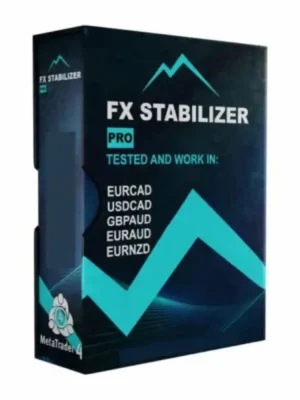
FXStabilizer Pro EA – Safe & Powerful Forex Trading Bot for Smart Traders
Original price was: $1,499.00.$9.99Current price is: $9.99.
FrankoScalp EA MT4 – Low-Risk, Smart Scalping EA for Consistent Growth
Original price was: $999.00.$9.99Current price is: $9.99.
Powerful GPS Forex Robot: Long-Term Trading Automation with Confidence
Original price was: $999.00.$9.99Current price is: $9.99.












Jie Wang –
很棒的套装!课程和AI工具帮助我大大改进了策略。
John Smith –
باقة مذهلة! الدورات وAI Agents تساعدني على تحسين استراتيجياتي.
Emilia Wagner –
Tolles Bundle! Die Kurse und Forex EA helfen mir, meine Strategien zu verbessern.
Louise Bernard –
Ce produit a dépassé mes attentes. Les indicateurs et templates sont très efficaces.